1. Jot it when you put it down
Tap the microphone and say what you put where: "Passport, grey drawer, bedroom." A normal sentence works just as well: "I put the spare keys in the blue bowl on the hall table." The app listens and saves when you pause, so there is no stop button to hunt for.
From that sentence it pulls out three things: the thing (spare keys), the spot (blue bowl) and the area (hall). For six seconds after it saves you can undo, and you can fix the wording any time if it misheard. Prefer not to talk? Type the same sentence instead; microphone access is optional.
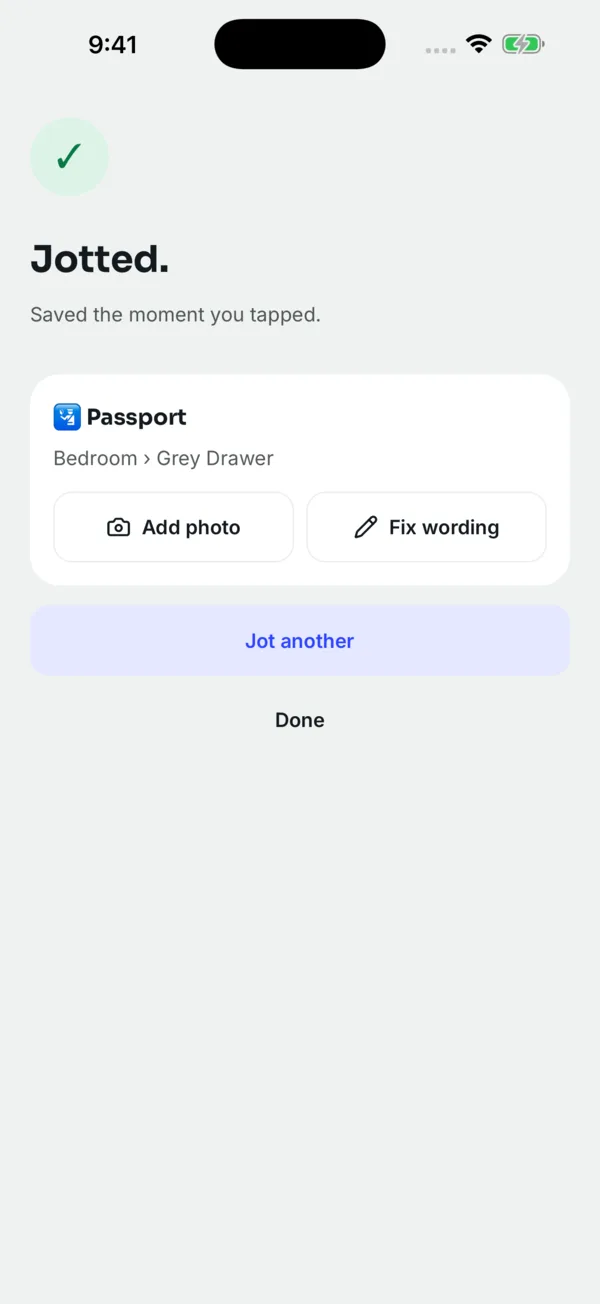
The fastest way in is not the app icon. On iPhone, add the Jot the Spot widget to your Lock Screen or Home Screen, or set the Action Button to "Jot a spot". On Android, add the Quick Settings tile or the home-screen widget, or hold the app icon for Jot and Ask shortcuts. The thought of where you put something lasts a few seconds, so capture has to be one tap away. More on jotting by voice.
2. Get on with your day
The jot is stored on your phone first, so it works in a basement, a loft, or on a plane. If you are online, the recording may be sent to a transcription service for a more accurate transcript, and the audio is deleted straight after. Jot the Spot never keeps audio. Jots made offline sync to your account when a connection returns. No sign-up is needed to start; adding an email or Google account later just lets you recover your jots on a new phone. Details in offline and private.
3. Ask when you need it
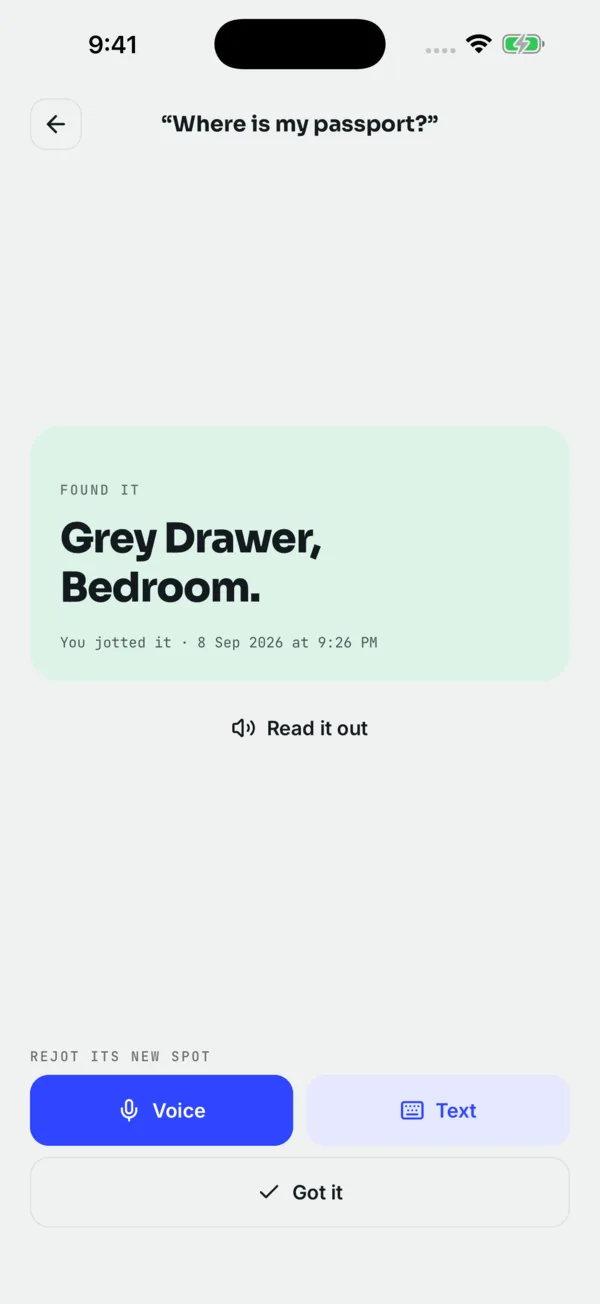
Ask "where's my passport?" out loud, or type "passport". The search runs on your phone, so it works without a connection, and it is forgiving: "pasport" still finds the passport, and you can ask what is in a place ("what's in the hall cupboard?"). You get the latest spot straight away, and you can have it read out. On iPhone you can also ask Siri ("Hey Siri, where's my passport in Jot the Spot") or find a thing from Spotlight. See asking by voice and Siri and Spotlight.
4. When it moves, jot it again
Things move, which is why written inventories go stale. When the passport goes back somewhere new, say so. Asking always gives the newest spot, and each thing keeps its full history: every place it has been and who jotted it. If the newest answer turns out wrong, the history shows you where to look next.
Extras that make it stick
- Expiry reminders. Add "expires in 6 months" to a jot and the app reminds you before the date.
- Photos of the spot. For places that are easier to show than say (Unlimited).
- Household sharing. One memory for everyone you live with (Unlimited).
- Many languages. Jot and ask in the language you think in.
- A gentle nudge. If you have not jotted anything for two weeks, one reminder, if you allow notifications.
What it does not do
Jot the Spot only knows what you tell it. It is not a GPS or Bluetooth tracker, so it cannot find something you never jotted or follow something that moves on its own; for keys and bags that travel with you, a tracker tag is a good partner (see Jot the Spot vs AirTag and Tile). And it is a personal and household app, not stock-control software: no barcodes, quantities or team permissions.
Questions people ask
Do I have to hold the button while I talk?
No. Tap once and talk; it saves when you pause.
What should I say?
The thing, the spot, and the room or area: "Camera battery, top drawer, study." A spot someone else could walk to is the most useful kind.
Does it work without internet?
Yes. Jotting and asking both work offline, and offline jots sync later. Some phones or languages do not offer offline speech recognition; typing always works.
Is my voice recorded and kept?
No. Speech is turned into text and the audio is deleted. Only the text of your jot is kept.
 Download on the App Store