It is 7:40 in the morning and the passport is not in the drawer you were sure about. This is the moment Jot the Spot is for. You open the app, ask "where did I put my passport?", and it tells you what you said when you put it away: "grey document wallet, bottom drawer of the bedroom desk." No scrolling through notes, no guessing which voice memo it was in.
Here is how asking works, the kinds of questions it handles well, and the one situation where it needs a connection.
Three ways to ask
- By voice. Tap the mic and ask: "Where's my passport?", "Where did I put the spare car key?", "Have I got the hedge trimmer charger?" Phrase it however you like; the app pulls out the thing you mean.
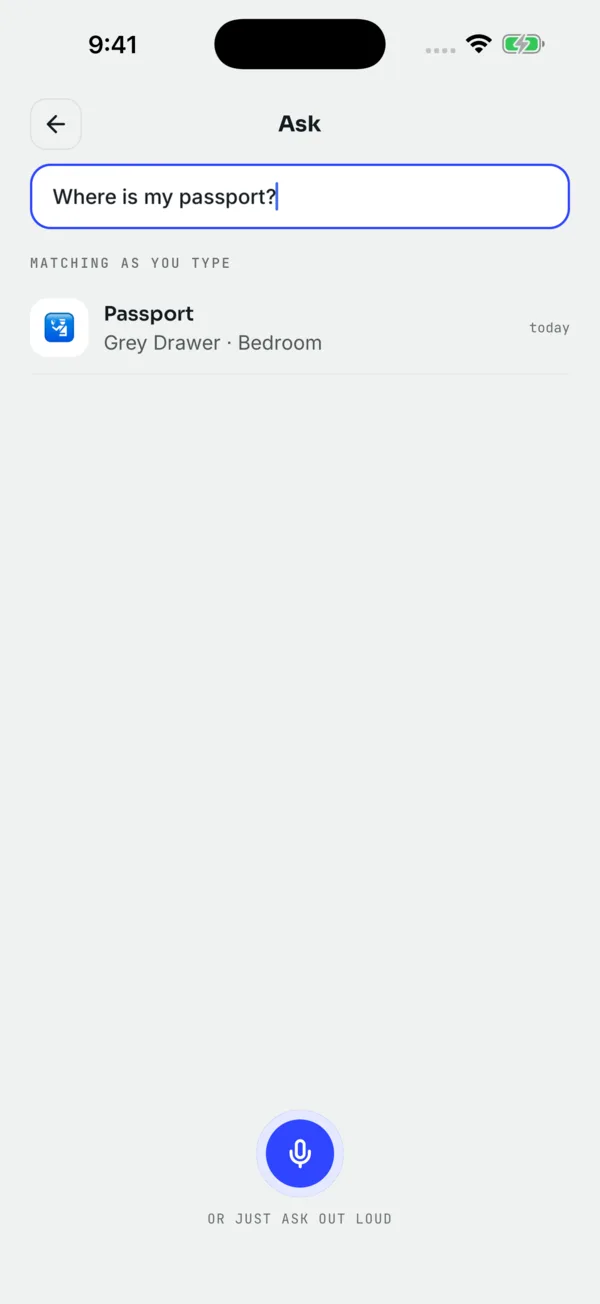
- By typing. Type "passport" or a whole question. Typing is handy in a quiet room, and it works exactly the same.
- From outside the app on iPhone. Ask Siri ("Hey Siri, where's my passport in Jot the Spot") or type the item into Spotlight search. More on Siri and Spotlight.
What the search forgives
When you are in a hurry you do not spell carefully, and speech recognition does not always hear carefully either. Search is built for that.
Close spellings still match
"Pasport", "pastport" and "passprot" all find the passport. Small slips and swapped letters are fine. If nothing matches, the app suggests the closest names you have jotted, so a typo does not end the search.
Partial names work
Ask for "charger" and you see every charger you have jotted, with the best match first. Handy when you cannot remember whether you called it "laptop charger" or "MacBook cable".
Ask by spot or area, not just by thing
Sometimes the question is the other way round. You are standing in front of a cupboard and want to know what is supposed to be in it. Ask "what's in the hall cupboard?" or "what's in the red toolbox?" and you get the things whose spot or area matches. This is useful before a clear-out, or when you are about to move a box and want to know what moves with it.
What an answer shows you
| On the answer | What it tells you |
|---|---|
| Latest spot | The newest place you jotted, at the top, with the area. |
| History | Every earlier place for the same thing, newest first. |
| Who jotted it | In a shared household, the person who said each spot. |
| Photo | The picture of the spot, if one was added (Unlimited). |
| Due soon / Expired | Shown when the jot included a date like "expires in 6 months". |
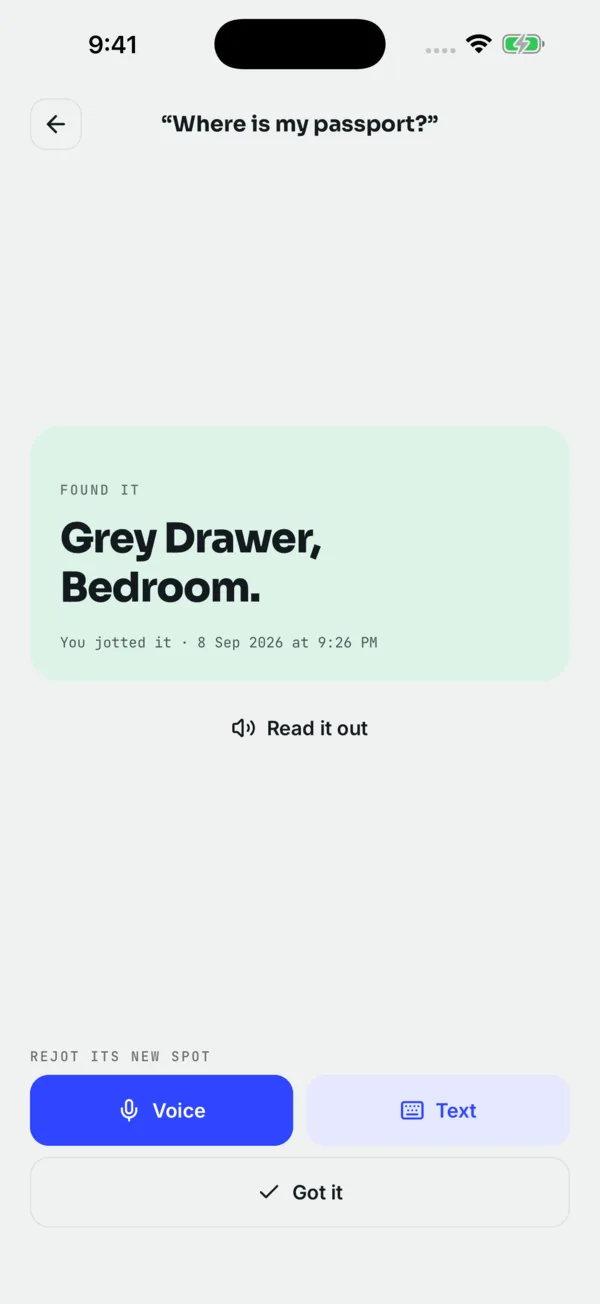
The history is what rescues you when the latest spot is wrong. If the passport is not in the travel bag, the previous jot ("grey document wallet, desk drawer") is right below it. In a household, "who jotted it" tells you who to ask. See household sharing for how that works.
Read it out
A "Read it out" button speaks the answer, on every plan. It sounds like a small thing until you are up a ladder in the attic, holding a torch, asking where the camping stove went. Hands busy, eyes on the boxes, and the answer comes through the speaker.
When the app asks its server for help
Asking normally searches the copy of your jots on your phone, so it works with no connection: in a basement storage unit, on a plane, in a garage with no signal. If a plain search finds nothing, the app may send the question to its server to work out what you meant, for example when you ask for "the thing for the bike tyres" and you jotted "pump". That step needs a connection. If you are offline, you still get the local results and the "did you mean" suggestions.
More on what stays on your phone in offline and private.
Tips for faster answers
- Ask with the word you jotted. If you said "big suitcase", ask for "big suitcase". If you keep asking with a different word, jot it again using that word.
- Use one strong noun. "Passport" beats "my travel document thing for the trip".
- Check the history before you tear the house apart. The second-newest spot is often where it went back to.
- Re-jot when you find it somewhere new. Takes three seconds and makes the next answer right.
What it cannot do: it only knows what you told it. It cannot find something you never jotted, and it does not track things. If someone moved the scissors without jotting it, the answer still points at the old spot.
Questions people ask
Does asking work without internet?
Yes. Asking searches the copy of your jots on your phone. Only the extra step that works out a question the plain search did not match needs a connection.
What if I spelled it differently when I jotted it?
Close spellings still match, and when nothing does, the app suggests the nearest names you have jotted.
Can I see everything in one cupboard or box?
Yes. Ask by the spot or area, such as "what’s in the hall cupboard?", and you get the things jotted there.
Is "Read it out" free?
Read-it-out answers, asking by voice and typing all work on the free plan. See pricing.
 Download on the App Store